Showing posts with label jewelry. Show all posts

Monday, 10 February 2014

14 GIFTS FOR THE 14th

Happy week! This week is mostly about Valentine's day, here on the blog. It's Friday already. Time to share and show our love to those who are so important for us. Today I made a list of awesome gifts to show our appreciation to friends, sons and daughters, husband, boyfriend, all family... I hope you enjoy my selection.


Thursday, 6 February 2014

VALENTINE'S DAY WEDDING

Still on a Valentine mood... 
I'm not a huge fan of Valentine's Day as it is, to be honest. We should  show our appreciation to the ones we love every single day of the year. Although, the Valentine's Day turned to be very special to me 5 years ago, when I found my soul mate.Yes, on Valentine's Day I will celebrate 5 years of a beautiful love story with two amazing gifts - our two gorgeous daughters.

Me and my love haven't given the knot yet. I believe that, when we do, an inspiring board like the one I'm sharing today, may even be the theme of our official marriage. Enjoy!

[ source: 

Monday, 3 February 2014

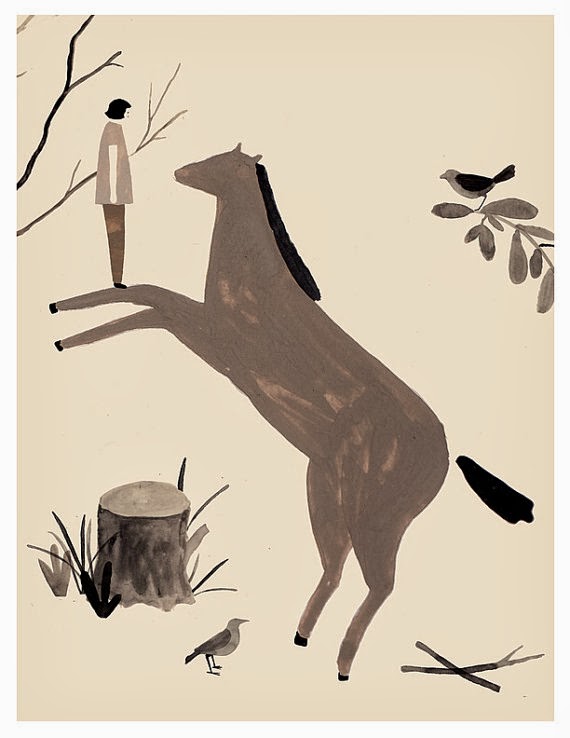
THE HORSE!

Last Friday was the first day of the Chinese new year. The year of the Horse has begun! Here's a few curiosities about what to expect of this year and from people born on a the year of the horse. I thought it would be interesting, to illustrate this post and give inspiration, attach beautiful finds from Etsy, as this is the first post of 2014 too ;)
People born in the year of the horse are said to be a bit like horses: animated, active and energetic – they love being in a crowd. They are independent with a straightforward and positive attitude towards life. They are known for their communication skills and are exceedingly witty.
 People who was born in the year of the horse, should be looking for potential partners who were born in the years of the tiger, goat or dog. Avoid those born in the year of the rat, ox, rabbit or horse. You won't like them.
According to superstition, in your zodiac year you will offend Tai Sui, the god of age, and will experience bad luck for the whole year. To avoid this you should wear something red, which has been given to you by someone else. Don't tell that I didn't warn you! 
In general, the lucky colours of team horse are green, red and purple; the lucky numbers are three, four and nine, and the lucky flowers are giant taro and jasmine. So... if you are a horse don't forget your numbers on your bets!

Have a great year of the horse!
Have an awesome 2014!

Tuesday, 13 August 2013

Friday, 26 July 2013

Tuesday, 16 July 2013

GUEST POST: I’ve snapped the shutter- Now What?

The lowdown on editing programs for Etsy shop owners

So you’ve created a great set of images, obtained the best lighting possible in your environment but something looks a bit off. Don’t worry this is fairly normal until you get it all figured out (it sometimes happens even when you have it all figured out). While perfect lighting the first time is the ultimate goal, things don’t always go the way you planned.
Keep in mind that when shopping online the quality and presentation of the image (your product) is everything. Potential customers will look elsewhere if your image is not in focus, is too dark, too light, unrecognizable or amateurish.
Let’s explore a few things that can cause your image to look less than what you had in mind.
The first image in each set is one that you should not use. The second is a rendition that is acceptable for use.

Too dark

The color of your product doesn’t look quite right

Product is not cropped tight enough to show off your product
 

It’s out of focus (this is always reason for a reshoot)

The list of things that can go wrong can seem to be endless (but hey, that’s how we learn). The first step is to pay attention to the details and “get it right in camera”. You quickly learn how valuable this is once you realize how much time you could save in editing.
Speaking of editing, let’s look at 3 programs to help edit your images along with one program that I believe is a must for anyone that is serious about organizing and editing your images.

#1 – Adobe Lightroom

If you take lots of photos and lots of different angles of the same image the best program is Adobe Lightroom (there is nothing else close to this for the features, price and functionality). 
The program runs $149* and while that may seem like a lot of money it will save you hours upon hours of editing time.

Here are features that I love about Lightroom:
•Catalogs your images complete with keywords so that you can find them easily.
•You can adjust one image and apply those same changes to the rest of your like images with the click of a button. Let’s say that all of your photos are too dark; just fix the first one then apply that fix to the rest of the images that are too dark with the click of a button.
•Easy one click dust and spot removal.
•Simple cropping tool that allows you to quickly crop to the correct size.
•Allows you to make “collections” of images that make access even quicker. Say you just photographed that great new line of red rose paper flowers along with a line of orange holiday greeting cards during the same photo shoot. You won’t need to sell the holiday cards utill the holiday season, but the red paper flowers are really hot for the wedding season and you need to work on them pronto. Just create a collection named “red paper flowers” drag the images into that folder (the images still remain in the original spot but the program creates a virtual copy). This helps you find the red paper flower images so fast you will never want to go back to the old way again.
•Non-destructive editing. Say what??? Non destructive editing means that any changes you make in Lightroom can be undone with the click of a button. This means you never hit the save button only to realize that you overwrote your original image by mistake.
•You can quickly and easily post to social media sites such to Flickr, Facebook and more with a click of the button.
•The program makes it a snap to export the correct sized images to use in your online shop.

There are so many other features that make Lightroom the best program for an Etsy user that there isn’t time or space in this blog to point them all out. While the learning curve is a bit steep, I personally find it easier to use then Photoshop Elements or the Photoshop CS editing programs.

Editing tools that you may have but are unaware of:
#2 iPhoto for Mac owners
If you are a Mac user you certainly have iphoto that came with your Mac. iPhoto is an easy and cheap way to edit. It does a fine job. I find it much better to make the corrections manually and stay away from auto correct features.

#3 Photo Gallery for PC Windows 8 users
If you are a Windows 8 user Photo Galley was included. This is a basic program that will help out if your image is pretty close and just needs a tweak.


Without sounding like an ad for Adobe Lightroom, I suggest spending the cash to purchase this program. It will pay for itself in no time at all!

                        Written by Scott Board


* For UK residents: you can find Adobe Photoshop Lightroom 4 on Amazon and it can cost you around £92.

Thursday, 11 July 2013

ALL ABOUT... Let's travel the world!

My love for travelling and adventure... I miss long journeys, forgetting the time and getting "lost". I know, it's difficult to get lost nowadays but not knowing where we are even if only for a moment give us the awesome sense of real freedom.


1 - "Hello adventure" print by Girl from blue skies
2 - Battered Fiat car miniature by Sophia Andreas
3 - Travelling brooch by Dianthusa
4 - Let's travel the world globe necklace by Anne Emma
5 - Travel bag in leather by Carey Liang
6 - Paper airplane earrings in wood by Press Send

Friday, 5 July 2013

Tuesday, 18 June 2013

GUEST POST: 10 Easy Steps - Inexpensive and Simple Etsy Product Photography

Welcome to the first of my series on how to better your photography of products for Etsy (or any products for that matter). Today we are going to get right down to the nuts and bolts of how to set up and take a photograph of some fairly small jewelry.

Here we go! 10 easy steps to set up an Etsy product shot using window light and reflectors.

1. Find a North-facing window with a windowsill lower than your table.


2. If you don’t have a North-facing window, place a translucent white (not off white) bed sheet or velum paper across the window to block direct sunlight. NOTE: If it’s a cloudy day any window will work. Just remember that there must not be any direct sunlight streaming through the window. The velum/white sheet diffuses the light making it much softer.
    3. Pull a table right up to the window, keeping the table height higher that the height of the windowsill and away from any window frame that may block the light or throws shadows.


    4. Place a large clean white piece of paper on the table so that it sweeps up in the back allowing you to shoot different angles and still have a white backdrop.


    5. Create a reflector card using clean white foam core or by taping and sheet of clean white paper to card board or by using a clean white matt board.

    6. Turn off any room lights. This is very important. Most room lights will photograph as a warm yellow and will defeat the purpose of using the natural window light.

    7. Place your product about 1 – 2 feet away from the window and arrange.

    8. Place a reflector card on the opposite side of your product (from the window/main light) keeping it very close to your product and just out of the camera frame. Move the reflector card around so that it throws light back into the product to reduce any shadows.


    9. Double check to make sure the light is even across both the product and the background.

    10. Compose your shot and press the shutter*. If it is a bit to dark to hand hold the camera without shake, use a tripod and set the self-timer on your camera to 10 seconds.


    *Remember - If the white background is the dominate color in your image you must over expose the shot by 1-2 stops in order to get the proper exposure otherwise the camera will photograph the background as grey.

    Join me every third Tuesday for more photography tips that will help your product stand out from the crowd. If you have any questions or topics that you would like to see covered send me an email at scottboardphotography@gmail.com.

                 Written by Scott Board

    Friday, 14 June 2013

    TREASURY FRIDAY

    I wish... “one long Summer”. Yes, I do! With Spring almost gone without even having actually stated. All of my expectations are on Summer. Let's wish it to be hot and sunny with time for pic-nics and long walks.

    On the "guest treasury" we are having an awesome Summer in Lemon Yellow made by one of the featured shops. I hope you enjoy this summer breeze at the blog.

    *click on the collage to find the treasury with all the featuring shops
    GUEST TREASURY: Lemon Yellow Summer by Pedro Vieira

    Tuesday, 12 March 2013

    NEWS FROM KOALITA GIFTS

    Hello dear readers! It has been quiet around here. Well that's because first little Laura was sick. Then me. And things got a bit difficult to manage. I'm slowly getting back to work. Here are few pieces from Koalita Gifts's brand new collection inspired on Pantone. I hope you enjoy it!


    Wednesday, 9 January 2013

    2013

    Most of the times new year comes with lots of hopes and resolutions, this isn't different.
    - Feeding my body better
    - Getting pregnant again
    - Giving more quality time to family and friends
    - Crafting more and computing less
    - Success to my business
    - More laughing x less crying

    These  are some of my hopes and resolutions for 2013. But this is just my little world. What's happening in the Koalita's world?

    Koalita Craft is no longer alone. Koalita Gifts is alive and kicking since yesterday. If you have a facebook account you can join the opening event that's running until 18th here, with lots of offers.
    If you do not have a facebook account you can still get 10% OFF on your purchases until the end of the event just use coupon code: WELCOME2013 at the checkout.


    WELCOME TO 2013 EVERYONE! HAPPY NEW YEAR!

    Thursday, 1 September 2011

    Jewellery available

    After some shopping for material, a bit of search for knowledge, pacience and creativity... we present you our first pieces of jewellery from the Autumn/Winter Koalita Craft 2011 Collection. More are expected during this month.
    See it all at our Etsy shop


    Wednesday, 3 August 2011

    An old flame!!!

    When I was younger, long long time ago. I was about 12 years old, I used to make necklaces and bracelets and sell them to my school mates. I loved more making them and shopping the supplies for them than I enjoyed the money I earned with it.

    One day I promised to myself that I would just do what I enjoy doing. I genuinely think that the creativity comes firstly from the joy of making/creating.

    That's why I have been learning and practising the new techniques of jewellery making and I'm enjoying every moment.
    One of this days I will show you my first pieces, for now I'm just experiencing.

    P.S. I know that I owe you some pics from my studio...I'll be posting them as soon as possible.

    Tuesday, 2 August 2011

    My new items...

    A few brooches that I made are already on our Etsy shop. I hope you like them all because much more products are coming... keep tuned